
Getting Started
GCopy is a web-based cross-platform clipboard synchronization tool. Without installing native apps on corporate or personal machines, you can transfer text, screenshots, and files across Windows, macOS, Linux, iOS, and Android in seconds.
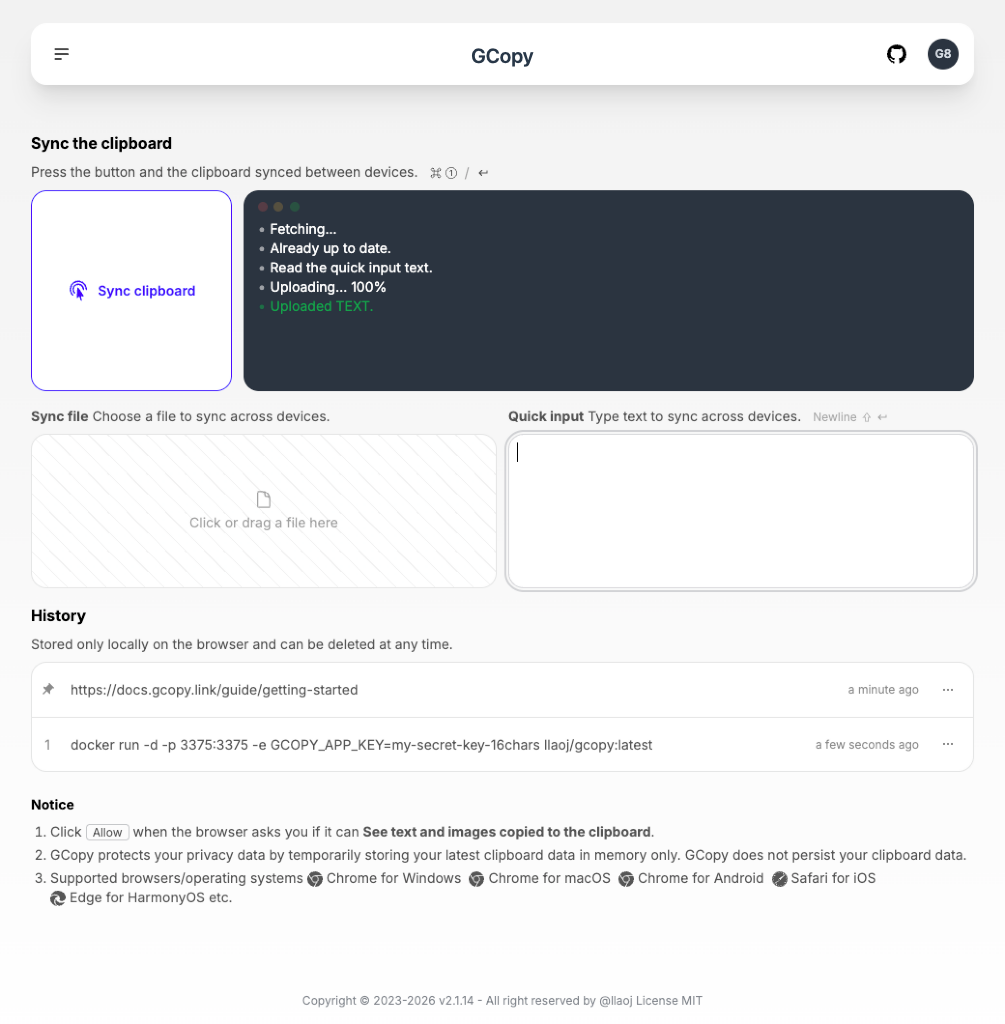
How It Works
- Generate or Enter an 8-Character Token: Open https://gcopy.link (or your self-hosted URL) on Device A, generate an 8-character token, and sign in with the same token on Device B (or scan the QR code from the top-right avatar menu).
- Push from Device A: Copy text or take a screenshot (
Ctrl+C/Cmd+C), then click Sync clipboard (or pressEnter). - Pull on Device B: Switch to Device B, click Sync clipboard, and paste (
Ctrl+V/Cmd+V) anywhere!
TIP
You can quickly log in on your phone by clicking your avatar in the top-right corner and scanning the Login QR Code.
Supported Content Types
1. Text & Quick Input
- Copy text in any app and click Sync clipboard to push it.
- Or expand Quick input on the page to type/paste text directly without overwriting your system clipboard.
2. Screenshots & Special Images (e.g. WeChat)
- Standard screenshots (
Cmd+Shift+Control+4on macOS,Win+Shift+Son Windows) are read directly via the browser Clipboard API and converted to lossless PNG for cross-platform compatibility. - Special clipboard formats: Some desktop apps (such as WeChat) place non-standard image formats on the clipboard that browsers sanitize during async reads. GCopy automatically detects this and prompts you to press
Ctrl+V/Cmd+Von the page to capture the raw image seamlessly.
3. Single & Multiple Files
- Drag and drop one or multiple files into the Sync the files dropzone (or click Choose a file).
- When multiple files are selected, GCopy automatically packages them into a
.ziparchive in the browser before uploading. - On the receiving device, clicking Sync clipboard downloads the file automatically.
Local History & Pinning
- Synchronized items are cached only in your local browser's IndexedDB (never persisted on the server).
- Click the
...menu on any history item to copy it back to your local clipboard, re-share it to other devices, Pin important snippets so they aren't evicted, or delete them at any time.
Next Steps
- Want to host your own private instance? Check out Deploy by Docker or Deploy from Source.
- Running into browser permission prompts on Safari or mobile? Read FAQ & Compatibility.